MEPCO Bill Online Check [February 2026]
New MEPCO bills for due date up to February -11-2026 are available to download
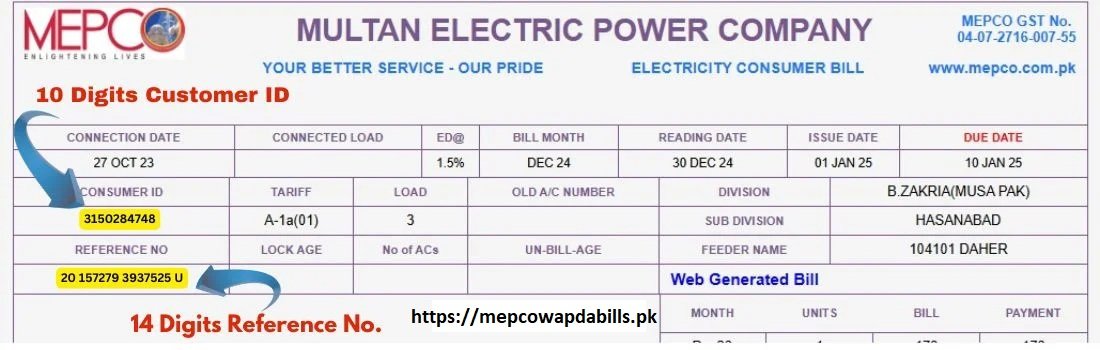
Are you worried about your monthly MEPCO electricity bill amount? Don’t worry! Here is an easy-to-use platform, where you can check your MEPCO bill online in just a few simple steps. You just need to enter your 14-digit MEPCO Bill reference number or 10-digit customer ID to get instant access to your bill details.
If your MEPCO bill has already entered the issuance cycle, accessing it from this page is straightforward and immediate. In cases where the bill is still pending generation, you are not left guessing. You can project the payable amount through our dedicated MEPCO Bill Online Calculator, a practical alternative designed for advance insight.
All that is required is the total number of electricity units recorded on your WAPDA meter. Once entered, the calculator interprets your consumption data and delivers a carefully approximated bill figure, offering clarity before the official statement arrives.
To review your projected charges and stay financially prepared, click here to calculate.
Steps to Check MEPCO Bill Online
Provide Your Bill Identification
Begin by entering your billing credentials in the designated field. You may use either the 14-digit reference number or the 10-digit customer ID, depending on what is available to you. Accuracy here is essential, as even a minor discrepancy can halt the process.
Submit to Access Your Electricity Bill
After entering the required ID, press the Submit button. If the bill does not appear, it usually signals an issue with the information you provided. In such cases, a clear on-screen notification will explain the exact reason, allowing you to correct it without confusion.
Print or Download the Bill
Once your MEPCO bill is displayed, you are free to preserve it in the format you prefer. You may print it instantly by using CTRL + P, or save a digital copy by downloading the bill as a PDF file directly to your device for later reference.
Bookmark for Quick Access
For repeated use and effortless access in the future, bookmark mepcowapdabills.pk in your browser. This saves time and ensures you can retrieve your bill whenever needed without searching again.
It is important to note that there is no distinction between the traditional paper bill and the online duplicate version. The online bill carries the same validity and has been introduced purely to offer ease, flexibility, and convenience to consumers.
MEPCO Load Shedding schedule:

Electricity load shedding remains one of the most disruptive realities for households and businesses across Pakistan. Although the occurrence of power outages is largely beyond individual control, daily routines can be planned more intelligently by keeping yourself informed about the official load-shedding timetable for your area.
The CCMS (Customer Complaint Management System) department is responsible for issuing and maintaining these power outage schedules. To view the electricity load-shedding plan specific to your locality, visit the official CCMS portal through the provided link.
Once on the page, enter your MEPCO bill reference number and click the search button. The system will instantly display your subdivision details along with the assigned feeder and its corresponding load-shedding schedule, giving you a clear picture of expected power interruptions.
For broader insights and additional information related to electricity outages across the country, you may also explore detailed resources on load shedding in Pakistan.
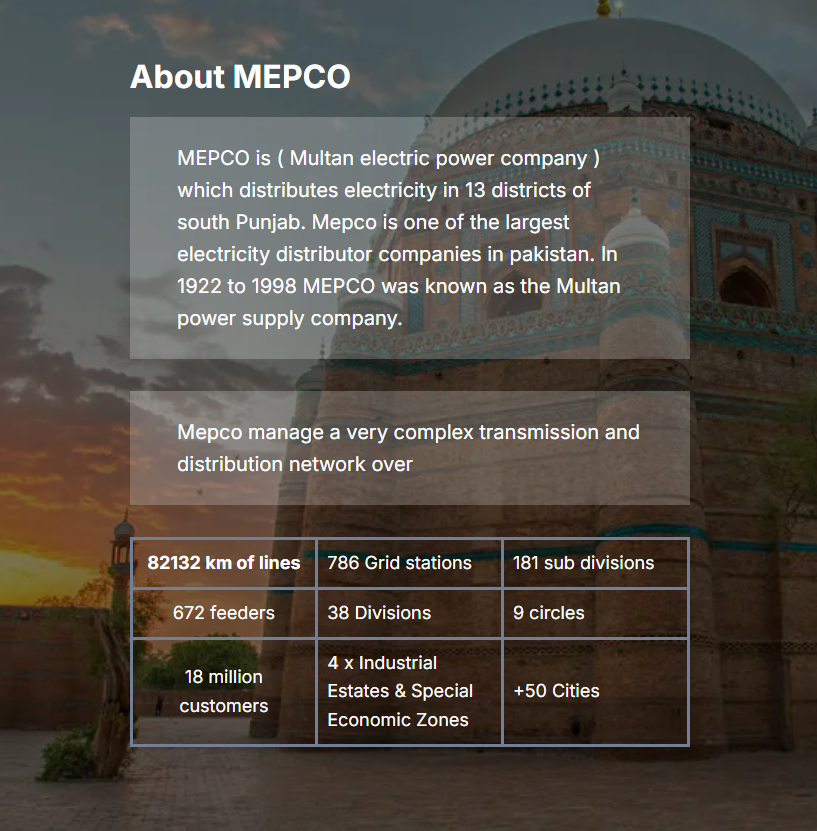
Its operational jurisdiction extends across 50 constituencies of the National Assembly of Pakistan, while also encompassing 104 constituencies of the Punjab Assembly, reflecting its wide administrative and electoral coverage within the province.
MEPCO Service Coverage Areas
| Multan | Bahawalpur | Rahim Yar Khan | Dera Ghazi Khan | Sahiwal |
| Pakpattan | Muzaffargarh | Bahawalnagar | Vehari | Mailsi |
| Khanewal | Lodhran | Rajanpur | Burewala | Layyah |
| Kabirwala | Mian Channu | Shujabad | Jalalpur Pirwala | Arifwala |
| Jahanian | Qadirpur Ran | Mumtazabad | Alipur | Chichawatni |
| Ahmadpur East | Hasilpur | Khairpur Tamewali | Yazman | Chishtian |
| Fort Abbas | Haroonabad | Minchinabad | Sadiqabad | Kot Addu |
| Dunyapur | Khanpur | Jatoi | Kahror Pacca | Rojhan Tehsil |
You can access your MEPCO online electricity bill in Multan, Bahawalpur, Rahim Yar Khan, as well as numerous other cities served by the network. For a deeper understanding of MEPCO’s distribution structure and regional coverage, click here to explore further.
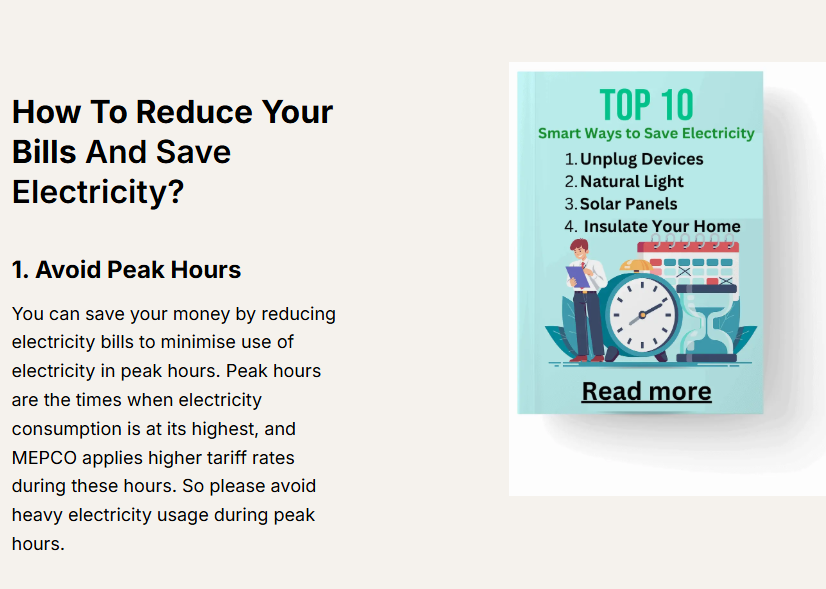
Mepco peak hours Detail here:
Months | Peak Hours | OFF Peak Hours |
Dec To Feb | 5 PM to 9 PM | Remaining 20 Hours |
Mar to May | 6 PM to 10 PM | Remaining 20 Hours |
Jun to Aug | 7 PM to 11 PM | Remaining 20 Hours |
Sep to Nov | 6 PM to 10 PM | Remaining 20 Hours |
2. Turnoff unused devices
Please turn off your home appliances after their use instead of leaving them on standby mode like Mobile charger, TV, AC, Iron, Computer etc. Because they continuously consume electricity in standby mode.
Turning them off completely can save energy and reduce your bills.
3. Energy saver
Always use the latest energy-efficient technology in home appliances because modern technology appliances use less power and deliver best performance.
Example: Change your old bulb to energy saver led lights
4. Use DC inverter air conditioner
New DC inverter air conditioner compared to the old window air conditioner has less usage of power and is more efficient to control temperature.
For further details of reducing bills please Read these tips
Net Metering Policy for MEPCO Consumers
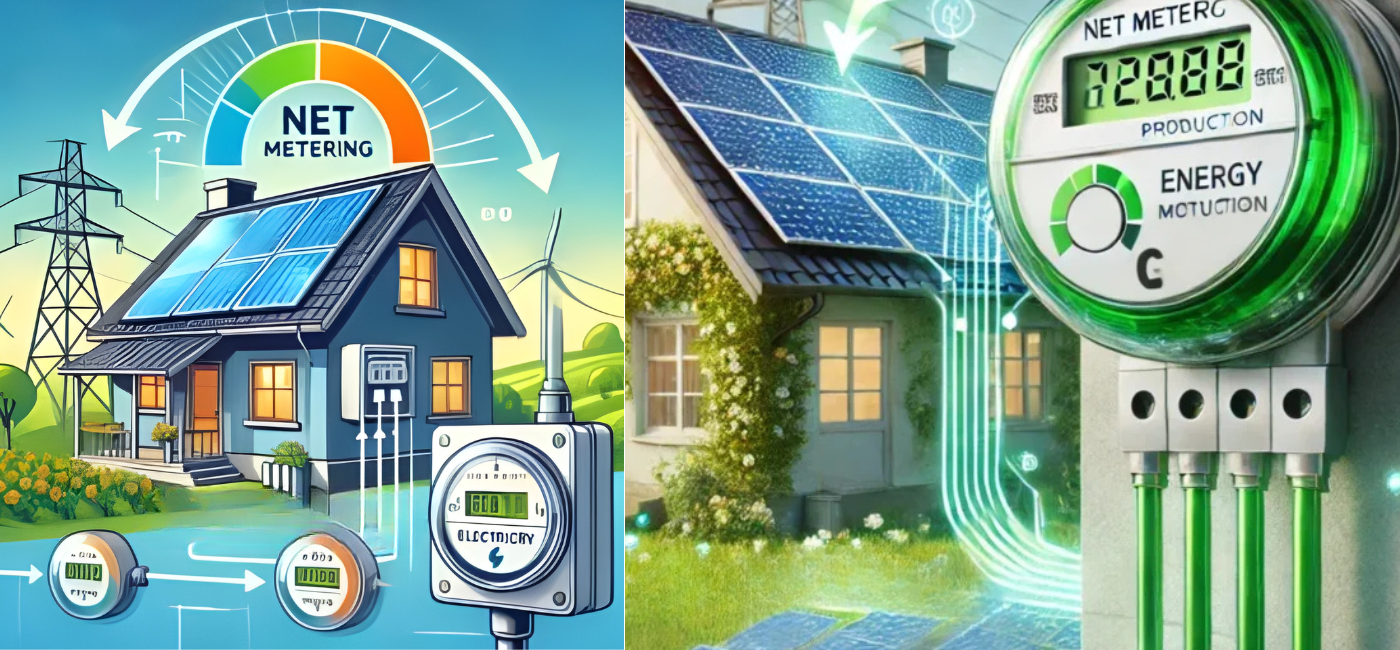
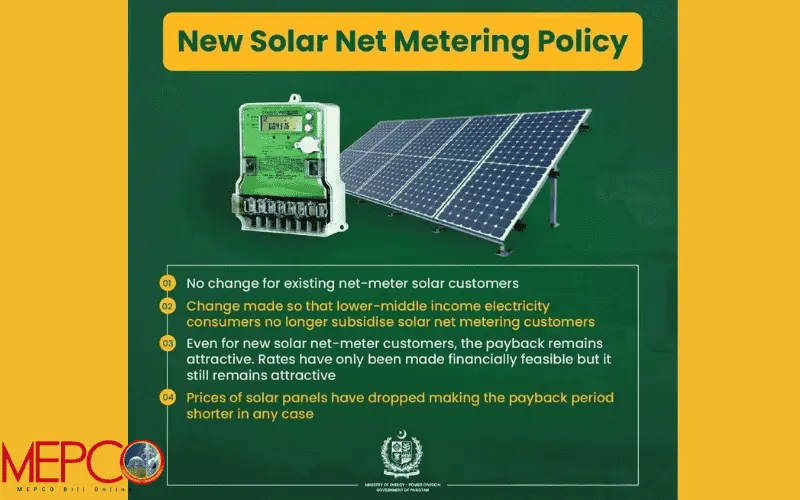
Electricity prices keep rising, and many people are now looking for ways to reduce their monthly bills. One of the most beneficial solutions for MEPCO consumers is net metering. It’s a simple system that allows you to use solar energy and cut down your electricity cost without changing your daily routine.
Benefits of Net Metering
Lower Energy Expenditure
Net metering significantly trims electricity expenses by compensating your power usage with the energy you generate. The meter runs backward, easing the financial strain month after month.
Promotion of Renewable Adoption
By attaching a tangible monetary advantage to clean power generation, net metering transforms renewable energy systems into a more compelling and practical investment for households and businesses alike.
Strengthening Grid Stability
Excess electricity supplied to the grid during high production periods contributes to load balancing, helping stabilize the overall power network when demand fluctuates.
Positive Environmental Footprint
Net metering curtails reliance on fossil-based power sources and accelerates the shift toward sustainable, eco-friendly energy solutions, benefiting both present and future generations.

MEPCO Electricity Bill Information and Applicable Taxes
By clicking on Latest Bill, you can view your complete electricity statement, which clearly outlines MEPCO service charges, applicable government taxes, the total payable amount, and the assigned due date, all presented in a single, detailed breakdown.
For readers seeking a deeper understanding of how these figures are calculated, including individual charges and statutory taxes, we recommend reviewing the detailed article provided below.
MEPCO Charges in Your Electricity Bill

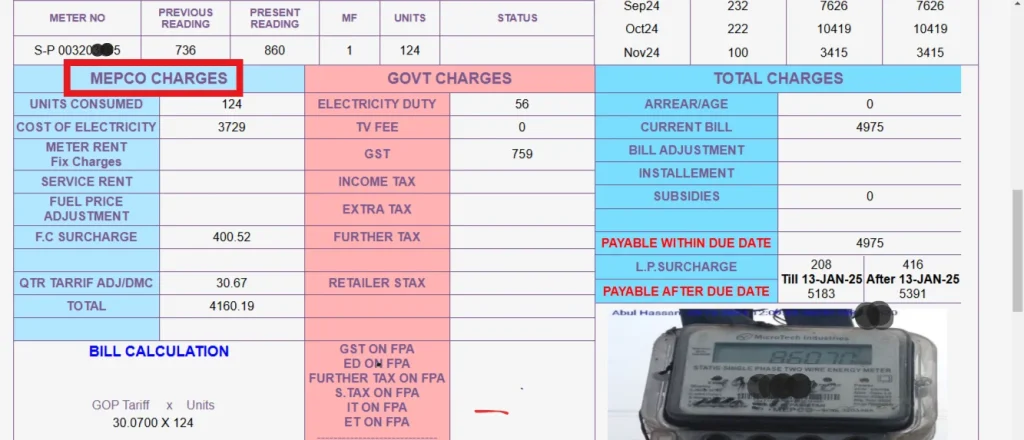
About MEPCO Charges
MEPCO charges reflected on an electricity bill are not uniform; they fluctuate according to the consumer category, such as residential, commercial, or industrial usage. Each bill is a composite of multiple cost components, surcharges, and adjustments, all calculated under regulated policies.
Below is a detailed explanation of the primary charges included in a MEPCO electricity bill.
1. Cost of Electricity
This is the core component of the bill and is calculated by multiplying the total units consumed with the applicable per-unit tariff.
Formula:
Total Units Consumed × Rate per Unit = Cost of Electricity
Example:
200 units × 60 per unit = 12,000 PKR
This amount forms the foundation upon which additional charges and taxes are applied.
2. Meter Rent (New Charges Applied by WAPDA)
Meter rent is a fixed charge of 1,000 PKR, imposed on every WAPDA consumer regardless of electricity usage. Even if no power is consumed during the billing period, this amount remains payable.
3. FPA in Electricity Bills
FPA stands for Fuel Price Adjustment (also known as Fuel Cost Adjustment). This charge is imposed by the Government of Pakistan to recover the additional cost incurred when electricity is generated from rental power plants due to rising fuel prices.
FPA is applied on a bi-monthly basis. For instance, if fuel prices increase in January and February, the corresponding FPA will be reflected in the March electricity bill.
4. Service Charges / Service Rent
Service Rent is a fixed monthly charge applied when an electricity connection is temporarily disconnected but not permanently removed. This charge is approximately 175 PKR per month.
By paying this amount, the consumer retains the meter connection, allowing future reactivation without the need for a new installation.
5. F.C Surcharge
The Financing Cost Surcharge (FC Surcharge) is levied to manage loans and financial obligations within the power sector. The Government of Pakistan distributes this cost across all consumers.
For consumers using more than 100 units, the FC surcharge typically ranges between 3 to 4 PKR per unit, depending on overall consumption.
6. TR Surcharge
The Tariff Rationalization Surcharge (TR Surcharge) is applied when the electricity tariff determined by NEPRA is lower than the actual cost required by power companies to sustain operations, including payments to rental power producers.
The government offsets part of this gap through subsidies, while the remaining difference is transferred to consumers through billing. If the tariff difference turns negative, power companies compensate the government under the Inter-DISCO Tariff Rationalization Surcharge (IDTR Surcharge) mechanism.
7. QTR Tariff Adjustment
The Quarterly Tariff Adjustment is imposed once every three months. This charge accounts for variations in fuel prices, currency exchange rates, capacity payments, and transmission and distribution expenses.
Its purpose is to stabilize the power sector against periodic economic fluctuations.
8. Deferred Amount
The Deferred Amount represents the difference between a consumer’s Average Monthly Billing (AMB) and actual electricity consumption.
If the deferred amount is a credit, one-twelfth of it is deducted from the monthly AMB.
If it is a debit, one-twelfth is added to the monthly AMB.
New AMB customers begin seeing deferred amounts from the second billing cycle. If a consumer cancels AMB or closes the account, the full deferred amount becomes immediately payable. This figure appears on the bill every month.
Taxes on Electricity Bills Imposed by the Government of Pakistan
In addition to the above charges, electricity bills also include various government-imposed taxes, which further contribute to the final payable amount.

Below is a comprehensive breakdown of government-imposed taxes included in electricity bills issued to MEPCO consumers across Pakistan. These levies are mandated by federal and provincial authorities and vary based on usage type and consumption level.
Government Taxes on Electricity Bills
1. Electricity Duty
Electricity Duty is the primary statutory charge applied per unit of power consumed. This duty typically ranges between 0.40 to 0.50 PKR per unit and is charged when total consumption exceeds 100 units during a billing cycle.
2. Television Fee
The Television Fee is a fixed charge of 35 PKR, imposed uniformly on all MEPCO consumers. This levy supports state-run broadcasting services and is added irrespective of electricity usage.
3. General Sales Tax (GST)
GST is levied at an approximate rate of 17% on electricity consumption. It applies broadly to almost all categories of consumers and significantly contributes to the overall bill amount.
4. Income Tax
Income Tax is charged on electricity bills for specific consumer categories, including:
Commercial consumers
Industrial consumers
Residential users with high electricity consumption
This tax is deducted at source and reflected directly on the bill.
5. Extra Tax
Extra Tax is an additional levy imposed exclusively on commercial consumers. It is enforced by the Government of Pakistan as part of broader revenue collection measures.
6. Further Tax
Further Tax applies to businesses or consumers who are not registered with a valid tax number, such as an NTN or GST registration. This tax is primarily enforced on commercial users operating outside the documented tax framework.
7. Retailer Sales Tax on Electricity Bills
Retailer Sales Tax targets shop owners and retail businesses using electricity for commercial purposes. This levy is designed to integrate retailers into the formal tax system and ensure equitable tax compliance.
How to Check Your MEPCO Bill Online
At mepcowapdabill.pk, you can instantly access your MEPCO electricity bill by entering either your 14-digit reference number or 10-digit customer ID. The displayed bill includes essential details such as the due date, electricity charges, applied taxes, and total payable amount.
Stay Ahead of Power Outages
Unscheduled power cuts can disrupt routines and productivity. To stay prepared, take advantage of available digital resources. Participate in the Telenor quiz to earn free data, then visit the CCMS portal to review your electricity bill and area-wise load-shedding schedule. Whether you search by city name or your 14-digit reference number, the system provides precise feeder-wise outage timings.
How to Verify MEPCO Bill Payment Status
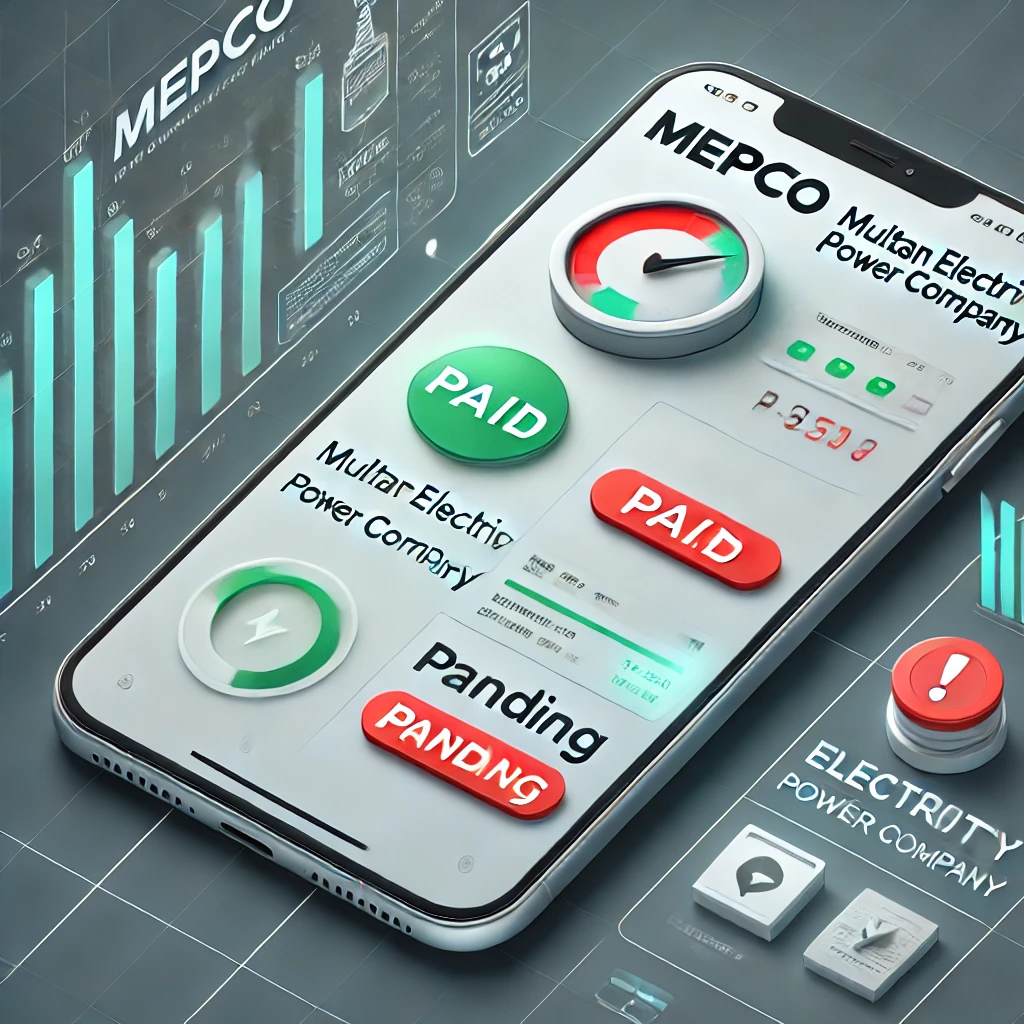
The MEPCO SMART Mobile App offers the fastest and most reliable method to confirm whether your electricity bill has been paid or is still pending. Through this app, consumers can instantly view payment status and stay informed about outstanding dues without visiting any office.
Staying informed about taxes, billing status, and outage schedules empowers consumers to manage electricity usage more effectively and avoid unnecessary inconvenience.

How to Use the MEPCO SMART Mobile App to Verify Bill Payment Status
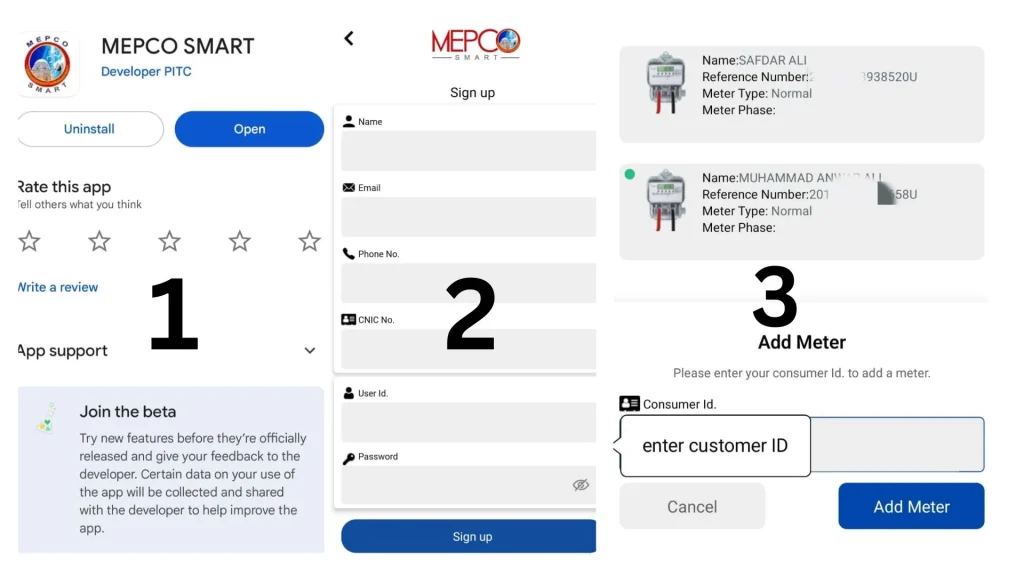
To conveniently confirm whether your MEPCO electricity bill has been paid or is still outstanding, follow the steps below using the official MEPCO SMART mobile application.
First, open the Google Play Store on your smartphone and install the MEPCO SMART app, which is officially developed by PITC.
Once the application is installed, launch it and complete the registration process by entering your basic details, including your name, CNIC number, mobile phone number, and email address. After submitting this information, log in to the app.
After logging in, tap the “+” icon to add a meter. Enter your 10-digit consumer ID, which is printed on your MEPCO bill just above the reference number, and then select the option to add the meter.
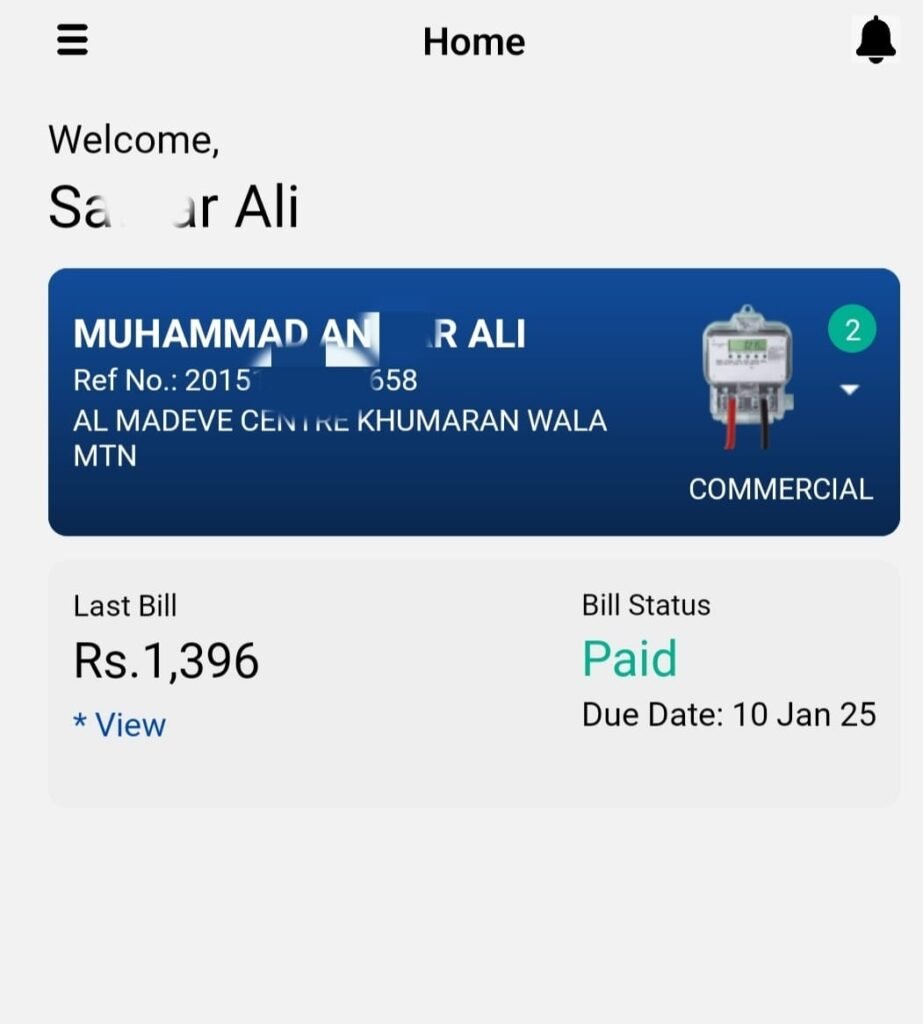
Return to the home screen of the app. Here, you will be able to view your most recent electricity bill along with its payment status, clearly marked as Paid or Pending.
The MEPCO SMART app also allows users to monitor multiple electricity connections. By adding additional consumer IDs, you can check the payment status of more than one bill from a single account, making it a practical tool for households and businesses managing multiple meters.


Methods to Receive Your MEPCO Bill Online
MEPCO provides two official ways to access your electricity bill directly on your mobile device, making it easier to stay informed and up to date with your payments.
1. SMS Service
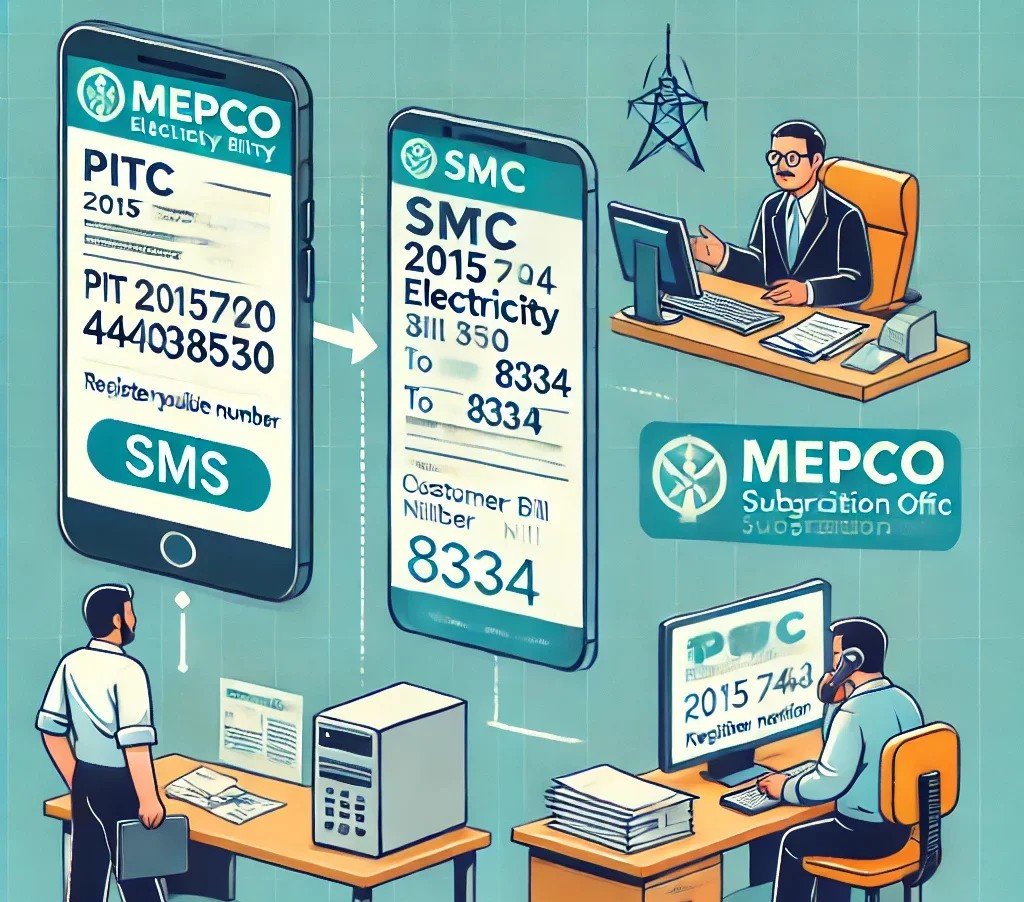
You can receive your MEPCO bill via SMS by registering your mobile number. Follow these steps to activate the service:
Using Short Code: Dial 8334 from your registered mobile number.
Via Text Message: Type “pitc” followed by a space and your 14-digit reference number, then send it to 8334.
Example:pitc 20151744038540→ send to 8334
This service ensures you receive timely updates about your electricity bill, including due amounts and billing notifications, directly on your phone.
2. Visit Your Subdivision Office
If you prefer in-person registration, you can activate the SMS service by visiting the MEPCO subdivision office that serves your area.
Locate your nearest subdivision office by checking the address on your electricity bill or visiting the official MEPCO website.
Once at the office, provide your mobile number and reference details to register for online SMS notifications.
By using either of these official methods, you can effortlessly receive your MEPCO bill on your mobile and keep track of all charges without delay.

How to Register Your Mobile Number for MEPCO Bill Notifications
To receive your MEPCO electricity bill directly on your mobile, follow these steps to register your number officially.
Required Documents
Ensure you have the following documents ready:
A copy of your latest electricity bill (preferably the most recent one).
Your CNIC (Computerized National Identity Card) for identity verification.
Visit the MEPCO Office
Go to the MEPCO office serving your area during working hours, typically 8:30 AM to 4:30 PM, Monday through Friday.
Submit a Request
Approach the customer service counter or designated staff and request registration or updating of your mobile number in MEPCO’s system.
Provide Your Mobile Number
Share your active mobile number with the officer. Make sure the number is correct to avoid missing notifications.
Confirmation
Once your number is successfully registered, you may receive an SMS confirmation on the provided mobile number, verifying that your registration is complete.
Benefits of Registering Your Mobile Number
Receive timely bill notifications via SMS, keeping you informed about due dates and billing amounts.
Optionally, you can also register for email notifications, ensuring you get your MEPCO bills directly in your inbox for convenient record-keeping.
How to Register Your Email Address with MEPCO for Bill Notifications
If you wish to receive your MEPCO electricity bill directly via email every month, subscribing is straightforward. Follow these steps:
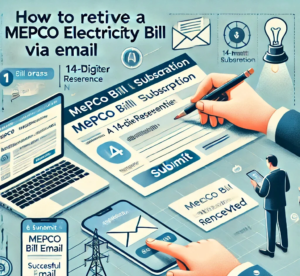
Click on the MEPCO Bill Email Subscription link to access the registration page.
Enter your email address and your 14-digit reference number.
Click Submit to activate your subscription.
Once registered, your monthly MEPCO bill will be sent directly to your email inbox, ensuring you stay informed and never miss a due date.
What is a MEPCO Duplicate Bill for January 2026?
A MEPCO Duplicate Bill is simply a reprinted version of your original electricity bill. If your bill is lost or delayed, you can download and print a duplicate copy from mepcowapdabills.pk.
Difference Between Original and Duplicate Bill
There is no difference between an original and a duplicate bill. Both contain the same details:
Bill Amount
Due Date
Reference Number
Consumer Information
Taxes and Charges
A duplicate bill can be used for payment or record-keeping just like the original.
How to Register an Online Complaint
You can submit complaints regarding electricity services through the official NEPRA complaint center:
Register Your Complaint Online
How to Track WAPDA/MEPCO Complaints
Complaints can be tracked in two ways:
By calling helpline numbers.
By entering your 14-digit reference number via the online tracking link.
WAPDA and MEPCO Helpline Numbers
1. National Electricity Complaint Center
Dial 118 to report electricity issues across Pakistan.
This number covers all distribution companies including MEPCO, FESCO, GEPCO, HAZECO, IESCO, LESCO, PESCO, SEPCO, QESCO, TESCO, and K-Electric (Karachi Electric Supply Company).
2. MEPCO Helpline
Dial 0800-63726 for issues specifically within the MEPCO region.
For additional helpline numbers or staff contacts, refer to the official MEPCO directory.
FAQs
Can I check my MEPCO electricity bill online using my CNIC number?
No. The only way to check your bill online is by entering your Reference Number or Customer ID.
How can I pay my MEPCO bill?
There are two payment options:
Cash payment
Online payment
For a detailed guide on all available payment methods, see MEPCO Bill Payment Methods.
How to check your old MEPCO bill history?
Monitoring your past electricity bills is recommended. You can easily view your historical bills on the MEPCO Bill History page.
How to apply for a new MEPCO meter connection?
A step-by-step guide is available for applying for a new electricity connection. Refer to the detailed instructions on the official MEPCO page.
This comprehensive guide ensures that MEPCO consumers can manage their bills, register complaints, and stay updated with minimal hassle.

Complete Guide to MEPCO Electricity Bills
In this article, we have compiled all essential information regarding MEPCO electricity bills. From checking your bill online to understanding the bill amount, due date, and detailed taxes and charges, this guide covers everything a consumer needs to know. We also explored payment methods, ways to track your bill history, and practical tips for reducing electricity expenses.
Additionally, we highlighted the MEPCO helpline and the official complaint registration process, ensuring that customers can resolve any electricity-related issues efficiently and without delay. By leveraging these resources, you can manage your electricity bills effectively, stay informed about upcoming due dates, and make timely payments without hassle.
For a seamless experience, visit mepcowapdabills.pk to access all MEPCO services and updates in one place.
If you are looking to apply for a new MEPCO electricity connection, please visit this page for new connections.
For further insights, tips, and updates, explore our Blog page to stay informed about MEPCO and other electricity-related topics.